Vercel v0
Vercel v0 直接在瀏覽器中產生 React、Tailwind CSS 與 shadcn/ui 元件。由於除非您在提示詞或專案檔案中包含設計上下文,否則 v0 不會讀取本機儲存庫中的檔案,因此最簡潔的工作流程是從 DesignMD Pro 匯出結構化提示詞與對應的 shadcn CSS 變數。
Note
正在尋找 Google Stitch 或 Bolt?請參閱專屬的 Google Stitch 與 Bolt 指南。
步驟 1:使用 v0 Prompt 產生器轉換 DESIGN.md
在 DesignMD Pro 探索頁 挑選任何網站,或將您自己的 DESIGN.md 貼入 v0 Prompt 產生器(於您的瀏覽器本機端執行;公開網站亦可透過 ?site=<slug> 預填)。
產生器會提取並格式化以下內容:
- 淺色與深色調色盤(
colors與colors.dark.*) - 字體家族、大小、字重與行高
- 圓角(
rounded)與間距比例 - 元件規則(
button-primary、card-surface與狀態) - 嚴格的 Token 重用約束
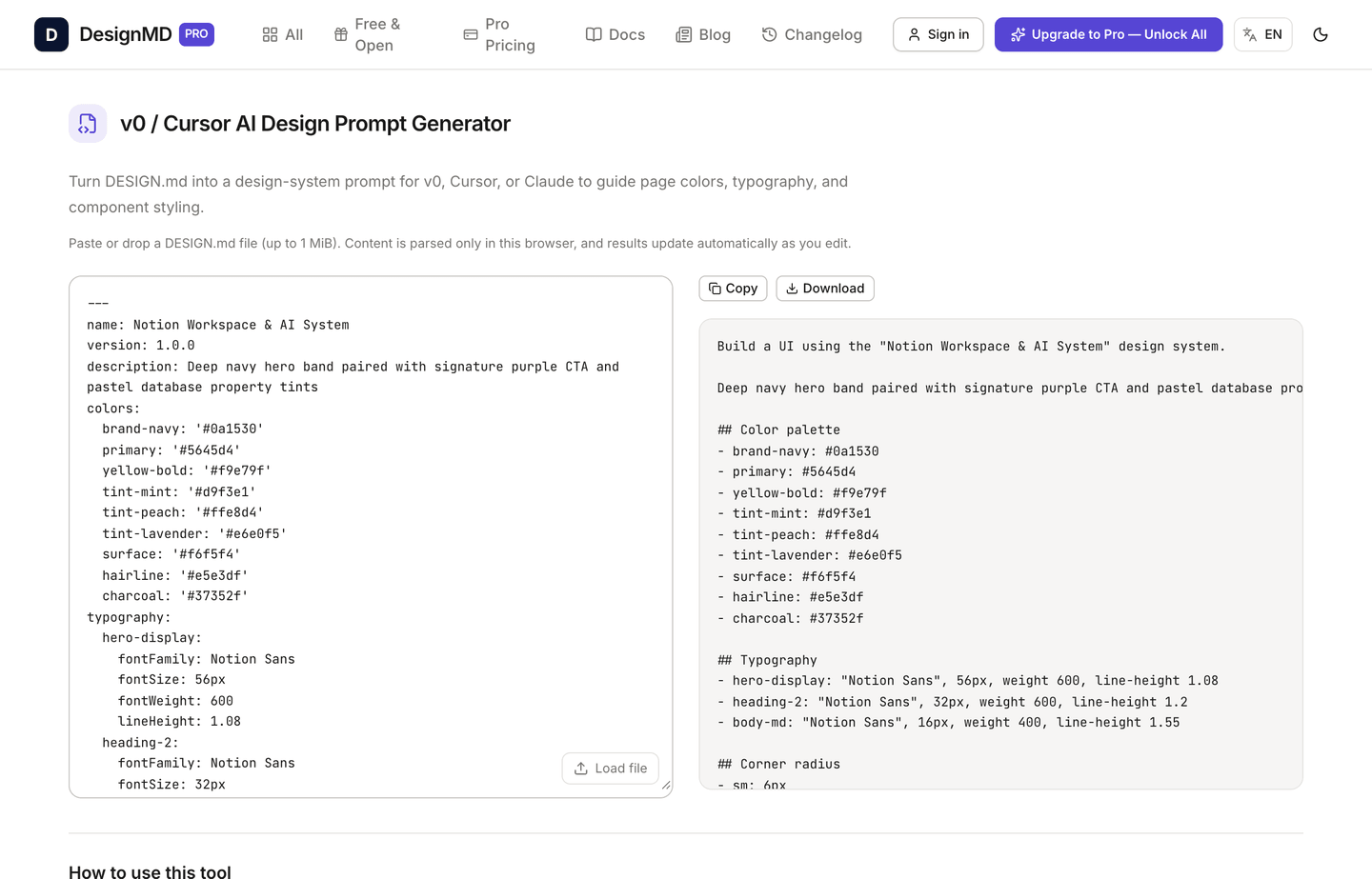
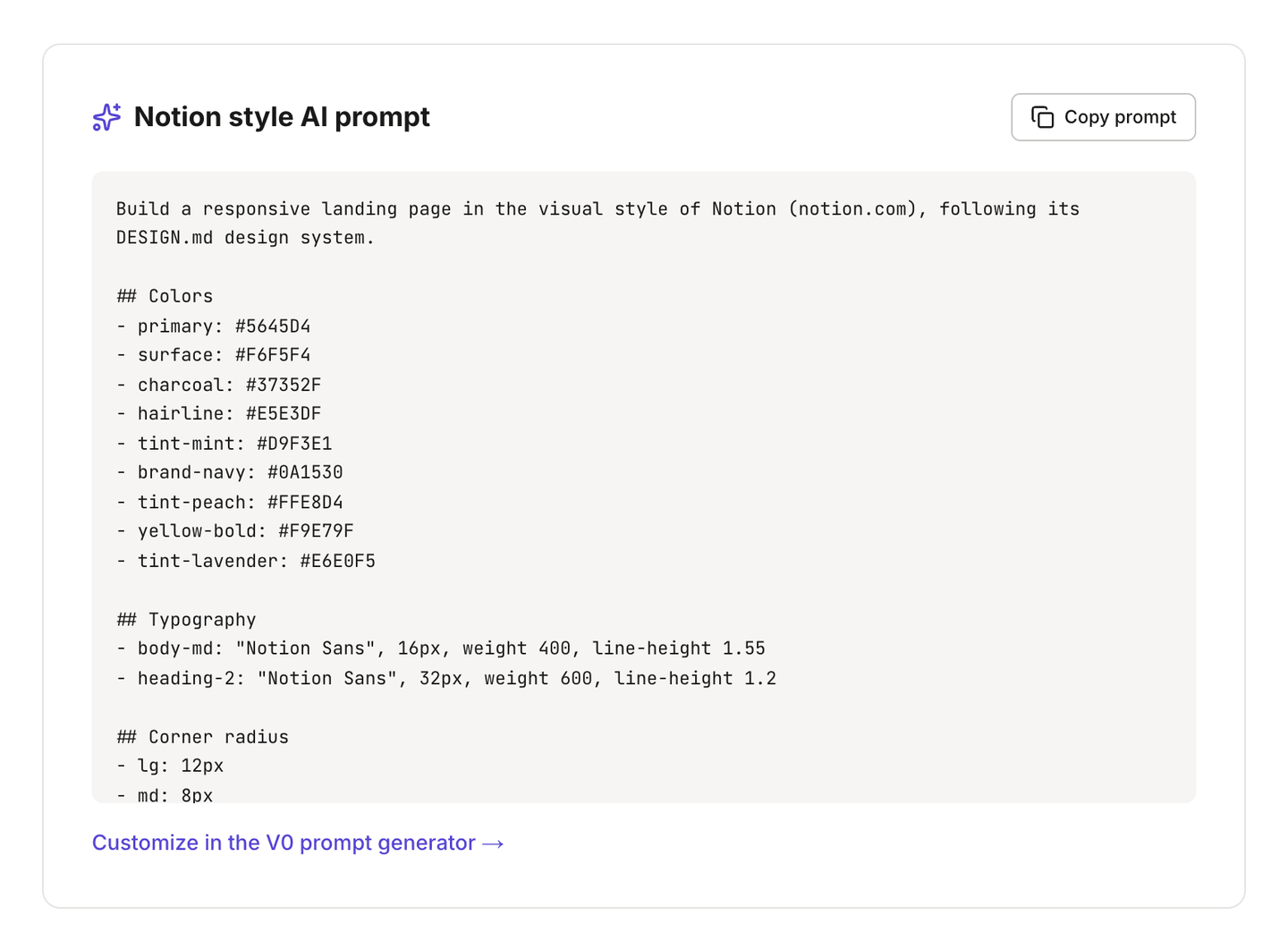
您也可以捲動至任何 DesignMD Pro 網站詳細頁面的 AI prompt 卡片立即複製精簡的 Token 摘要,或點擊 Customize in the V0 prompt generator 進行編輯。
步驟 2:搭配 shadcn/ui CSS 變數
由於 v0 預設建立 Tailwind CSS 與 shadcn/ui 元件,提供精確的 CSS 變數可避免預覽畫面退回近似的 Tailwind 預設值:
- 使用 shadcn/ui 主題產生器 產生
:root與.darkToken,或使用 Tailwind v4 主題產生器 產生@themeToken。 - 將產生的 CSS 區塊納入您的 v0 提示詞中(或直接放入 v0 專案檔案面板的
app/globals.css)。
步驟 3:Vercel v0 的提示詞範本
登陸頁面
[Paste v0 Prompt Generator output here]

Build a developer SaaS landing page with:
1. Top navbar (brand mark, 4 links, primary Sign In button)
2. Split hero with headline, 2-sentence summary, primary CTA, and code snippet card
3. Three-column feature grid with 1px structural hairlines (no drop shadows)
4. Pricing comparison table and compact footer
儀表板
[Paste v0 Prompt Generator output here]

Build an analytics dashboard with a collapsible left sidebar, top filter bar,
4 metric cards with tabular numbers, and a recent-events table. Use surface
and border tokens for separation and reserve the primary accent color strictly
for the active nav item and primary CTA.
定價方案表
[Paste v0 Prompt Generator output here]

Build a three-tier pricing page (Free, Pro, Team) with a monthly/annual toggle,
highlighted Pro tier border using the primary token, and a 5-question FAQ
accordion below.
透過 MCP 將 v0 元件交付給本機 Agent
將 v0 區塊匯出至您的 Next.js 儲存庫(npx shadcn add ... 或推送至 GitHub)後,請將同一份 DESIGN.md 保留在儲存庫根目錄,並將您的本機程式設計 Agent(Claude Code、Cursor、Codex、Windsurf 或 Kiro)連線至託管的 DesignMD Pro MCP 伺服器:https://designmdpro.app/mcp。請參閱 DesignMD Pro MCP 伺服器 頁面,取得複製即用的設定片段與速率限制。
常見陷阱
- 多輪對話後的樣式飄移:在長對話串中,v0 會逐漸退回通用的 Tailwind 藍色或圓角陰影。開始新畫面時,請引用您的 Token 區塊或附加
DESIGN.md以重新鎖定對話。 - 未載入的自訂字體:若
typography指定了預覽沙盒未內建的商業字體或 Google Font,請宣告乾淨的備援字體堆疊,或透過next/font/google載入。 - 缺乏深色模式對等性:匯出前請先納入
colors.dark.*Token,避免 v0/shadcn 深色主題退回預設的 slate 灰色。
下一步
- MCP 伺服器設定 — 將本機 Agent 連線至
https://designmdpro.app/mcp - Google Stitch 與 Bolt — 專屬的瀏覽器 UI 建置工具指南
- Tailwind CSS 與 shadcn/ui 整合 — 精確的 Token 至 CSS 變數對應
- 完整範例 — 包含淺色/深色 Token 的完整入門
DESIGN.md
Last updated on