Bolt
Bolt(bolt.new)直接在瀏覽器中執行完整的 WebContainer 全端工作區,具備真實的檔案樹、終端機與即時預覽功能。與單次出圖的 UI 產生器不同,Bolt 允許您將 DESIGN.md 直接儲存在專案內,並搭配持久化指令(透過 Project Settings → Knowledge 或 .bolt/prompt)以及位於 src/index.css 或 app/globals.css 中的真實 CSS 變數。
步驟 1:從 DesignMD Pro 取得 DESIGN.md 與 CSS 變數
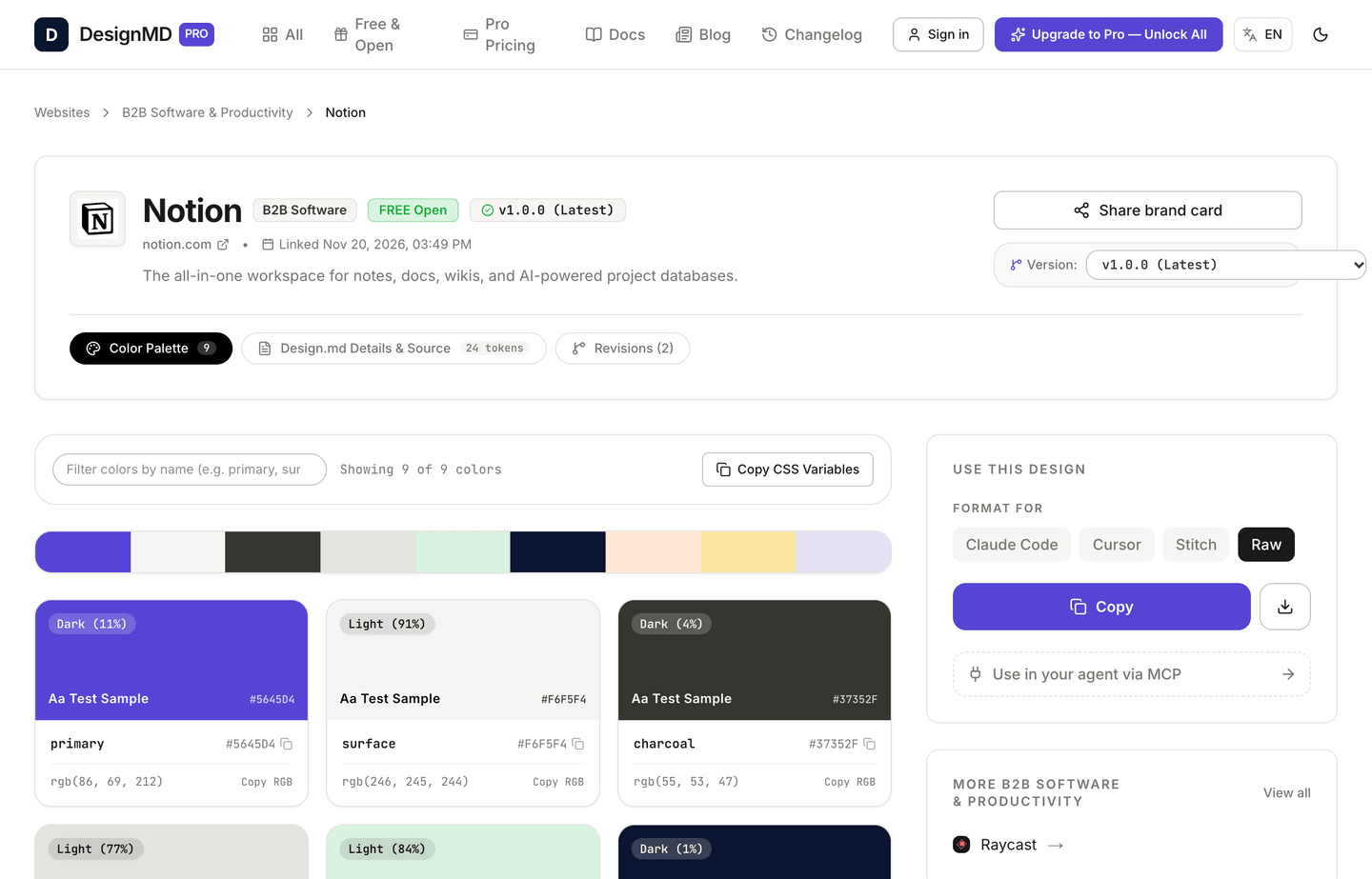
- 開啟 DesignMD Pro 探索頁 並選擇一個參考設計系統。
- 在網站詳細頁面中,將 Use this design 卡片切換至 Raw,點擊 Copy 或 Download 以取得乾淨的
DESIGN.md檔案。
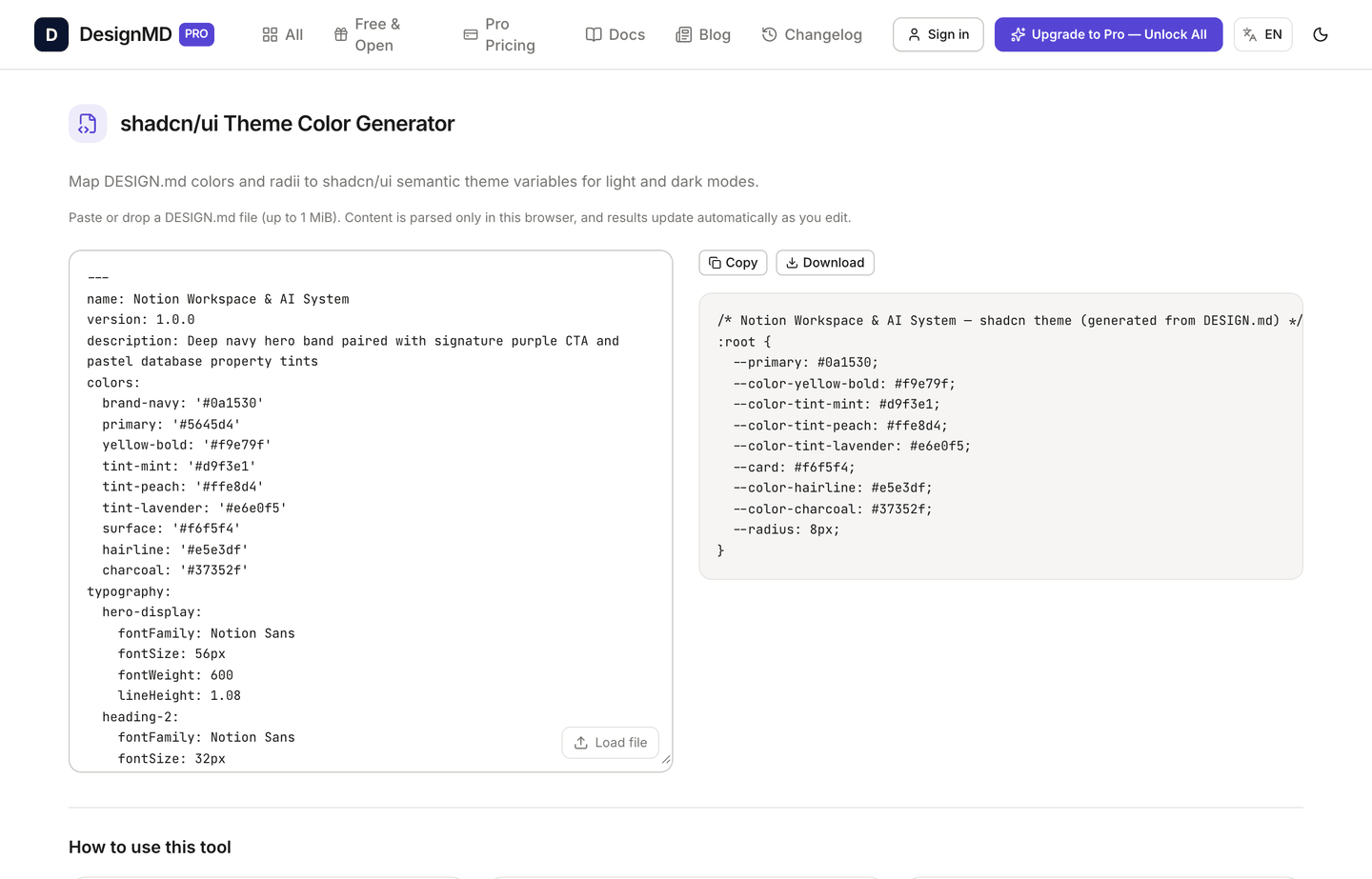
- 由於 Bolt 預設會建立 Vite + Tailwind CSS 或 Next.js + shadcn/ui 應用程式,建議同時從 shadcn/ui 主題產生器(或 Tailwind v4 主題產生器)匯出對應的 CSS 自訂屬性。您可以貼上
DESIGN.md,或使用?site=<slug>直接載入任何公開網站(例如/zh-TW/shadcn-theme-generator?site=notion):
步驟 2:將 DESIGN.md 放入您的 Bolt 專案
將 DESIGN.md 與產生的主題變數加入 Bolt 工作區,確保每輪提示詞都讀取同一份單一真實來源(Single Source of Truth):
my-bolt-app/
├── DESIGN.md
├── .bolt/
│   ├── prompt
│   └── ignore
└── src/
    ├── index.css      # Paste generated :root / .dark or @theme tokens here
    └── components/
選項 A:在 Project Settings → Knowledge 固定規則(Bolt UI 中最快速)
在 Bolt 中開啟 Project Settings → Knowledge,並貼上指向根目錄檔案的簡潔指令:
Before creating or editing UI components, pages, or stylesheets, read `DESIGN.md` at the project root.
Use only the colors, typography, spacing, border radii, and component patterns defined in `DESIGN.md` and `src/index.css`.
Do not substitute generic Tailwind blues, drop shadows, or unapproved hex colors.
選項 B:提交 .bolt/prompt(匯出至 GitHub 後仍可沿用)
如果您將 Bolt 工作區同步至 GitHub 或從現有儲存庫開始,請將相同的指令儲存在 .bolt/prompt 中,讓 Bolt 自動將其載入為持久化專案上下文。您可以搭配 .bolt/ignore(列出 dist/、*.lock 或大型測試資料目錄)來讓上下文 Token 聚焦於 DESIGN.md 與 src/。
串接樣式表與字體
- 在 Bolt 的程式碼分頁中開啟
src/index.css(Vite/React)或app/globals.css(Next.js),並貼上來自 shadcn/ui 主題產生器 的:root/.dark區塊或來自 Tailwind v4 主題產生器 的@theme區塊。 - 若
DESIGN.md指定了 Google Font(例如Inter、Geist或IBM Plex Mono),請在index.html或app/layout.tsx中匯入,讓預覽沙盒能渲染真實字體,而非退回系統預設字體。
步驟 3:在 Bolt 中撰寫結構化提示詞
使用 Bolt 的最佳方式是先在 Plan Mode 中驗證結構,接著每次提示詞集中處理一個完整的畫面或工作流程,而非在多輪對話中進行零碎的樣式微調。
初始建置提示詞(Plan Mode → Build)
Read DESIGN.md in the project root and the CSS variables in src/index.css.
Plan and build a SaaS analytics workspace with:
1. Collapsible left navigation sidebar using the surface and hairline border tokens
2. Top bar with workspace switcher, date-range selector, and one primary CTA button
3. Four KPI cards with tabular numerals and 1px borders (no drop shadows)
4. Filterable events table with status badges mapped to the defined semantic colors

Keep every color mapped to CSS variables from DESIGN.md and follow its Do's and Don'ts.
快速單次提示詞(使用詳細頁面的 AI prompt)
當在尚無任何檔案的情況下從頭建立全新 Bolt 專案時,請捲動至任何 DesignMD Pro 網站詳細頁面上的 AI prompt 卡片(或在 v0 Prompt 產生器 中自訂),並在第一則 Bolt 訊息中將其貼在功能需求上方:
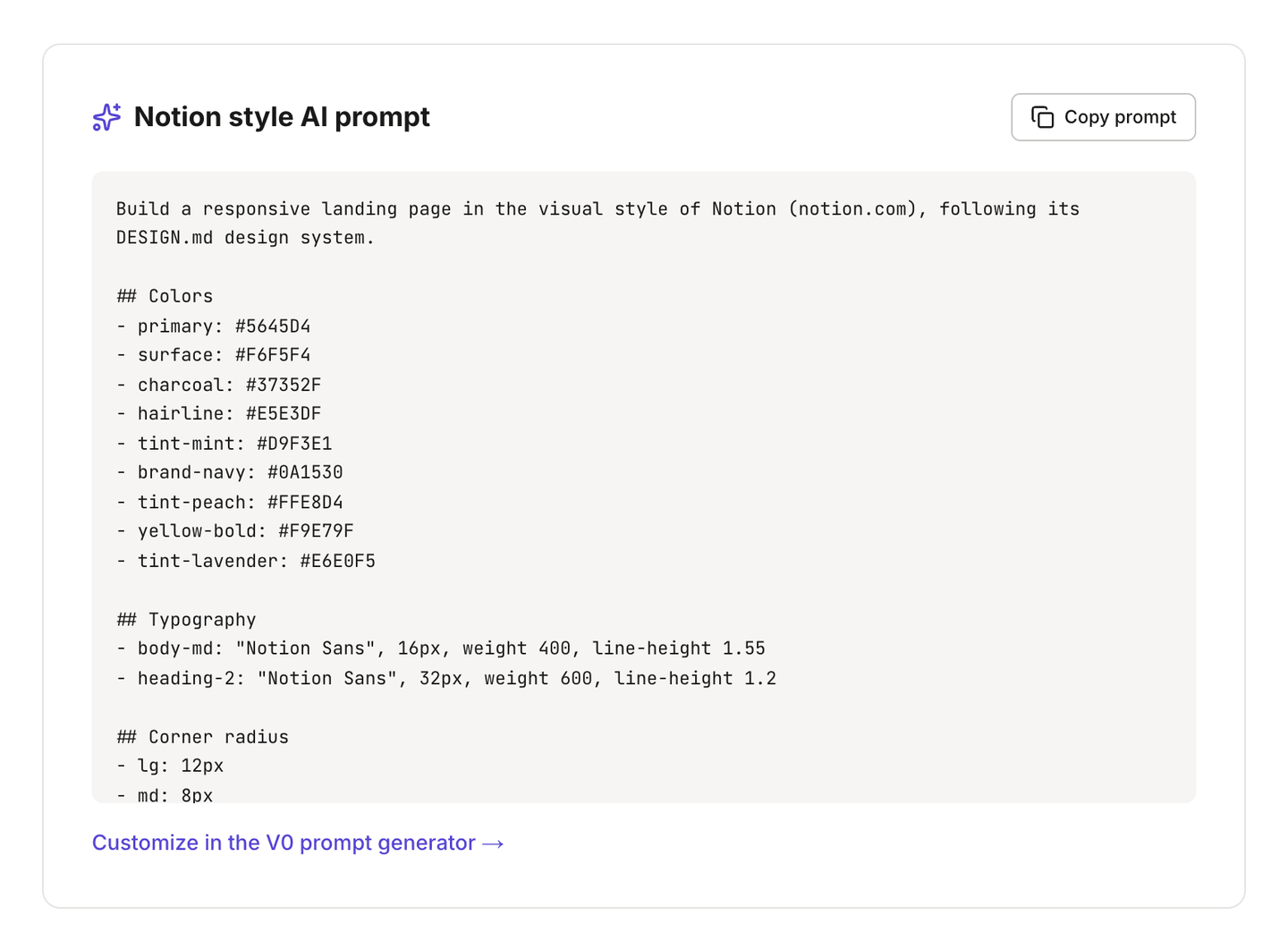
[Paste the AI prompt block from DesignMD Pro here]

First save the full design system rules into DESIGN.md at the project root and configure
the matching CSS variables in src/index.css. Then build a three-tier pricing page
(Free, Pro, Team) with a monthly/annual billing toggle and a 5-item FAQ accordion.
透過 MCP 連線 DesignMD Pro
Bolt 支援 MCP connectors 以將外部上下文拉入對話中,團隊也常將 Bolt 專案匯出至 GitHub,以便在 Claude Code、Cursor 或 Kiro 等本機 Agent 中繼續迭代。
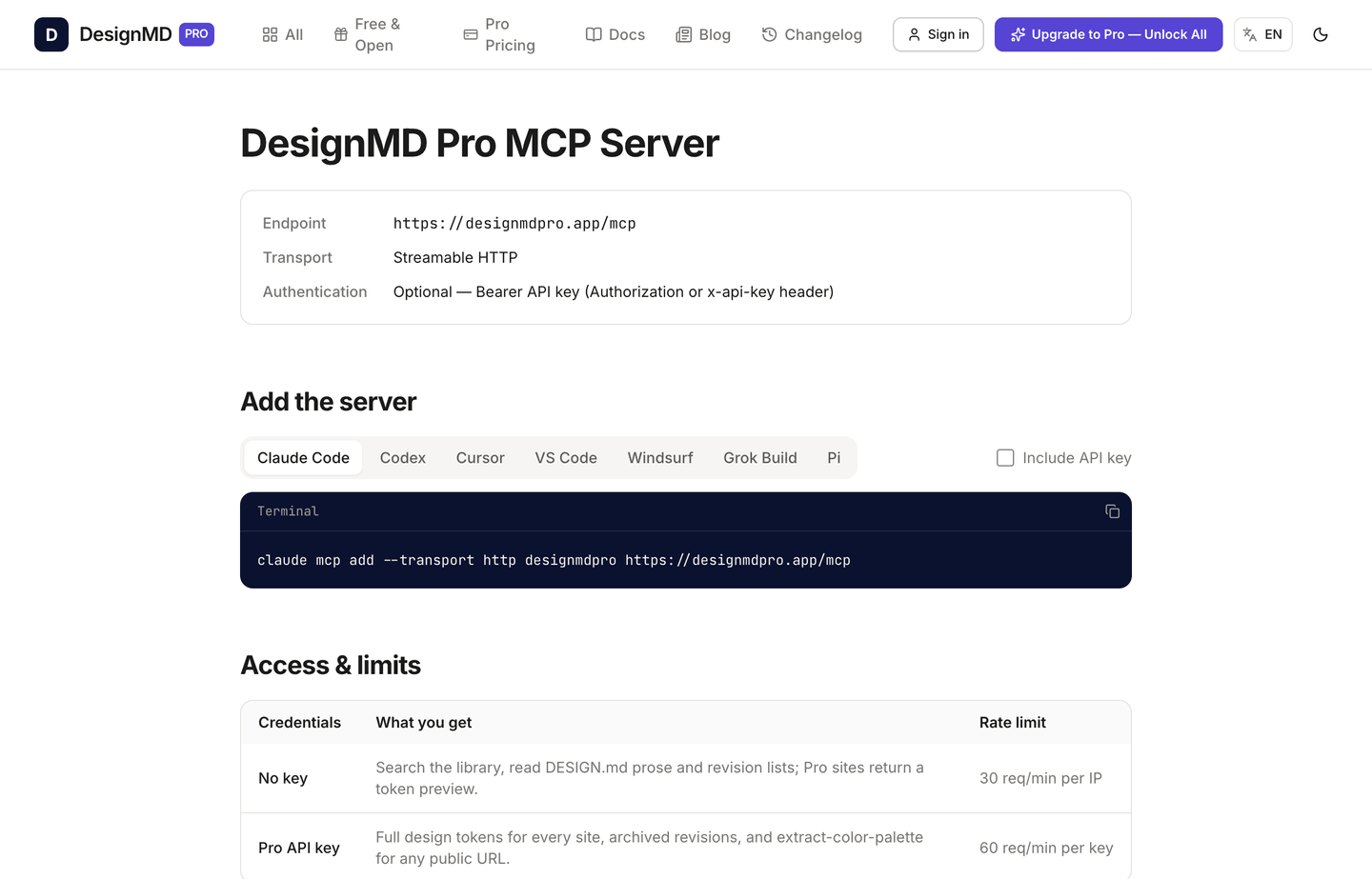
使用託管的 DesignMD Pro Streamable HTTP MCP 端點(https://designmdpro.app/mcp)來搜尋設計庫(search_websites)、擷取特定章節(get_design_md)、檢視修訂歷史(list_revisions)或提取色票(extract-color-palette,Pro 功能)。請參閱 DesignMD Pro MCP 伺服器 頁面,取得端點資訊、Bearer API 金鑰設定與用戶端組態。
常見陷阱
- 依賴對話歷史而非
DESIGN.md+ CSS 變數:在 Bolt 中經過幾輪建置與修復後,樣式容易退回預設的 Tailwind slate/indigo 類別。將DESIGN.md保留在檔案樹中並將精確的十六進位值鎖定於:root/@theme內,可有效防止樣式飄移。 - 在每次後續提示詞中重複貼上整份
DESIGN.md:重複貼上數百行內容會快速消耗 Bolt Token。請將DESIGN.md儲存於專案根目錄一次,從 Project Knowledge 或.bolt/prompt引用,並傳送聚焦的功能提示詞。 - 忘記在 WebContainer 中載入自訂字體:在
DESIGN.md中宣告font-family卻未載入字體檔案或 Google Fonts 樣式表,會導致 Bolt 退回系統無襯線字體。
下一步
- MCP 伺服器設定 — 託管端點、API 金鑰與速率限制
- Tailwind CSS 與 shadcn/ui 整合 — 精確的 Token 至 CSS 變數對應
- Vercel v0 與 Google Stitch — 互補的瀏覽器 UI 建置工具
- 為 AI Agent 撰寫規範 — 撰寫能在多輪編輯中維持一致的嚴謹約束