Vercel v0
Vercel v0 generates React, Tailwind CSS, and shadcn/ui components directly in the browser. Because v0 does not read files from a local repository unless you include design context in your prompt or project files, the cleanest workflow is to export a structured prompt and matching shadcn CSS variables from DesignMD Pro.
Looking for Google Stitch or Bolt? See the dedicated Google Stitch and Bolt guides.
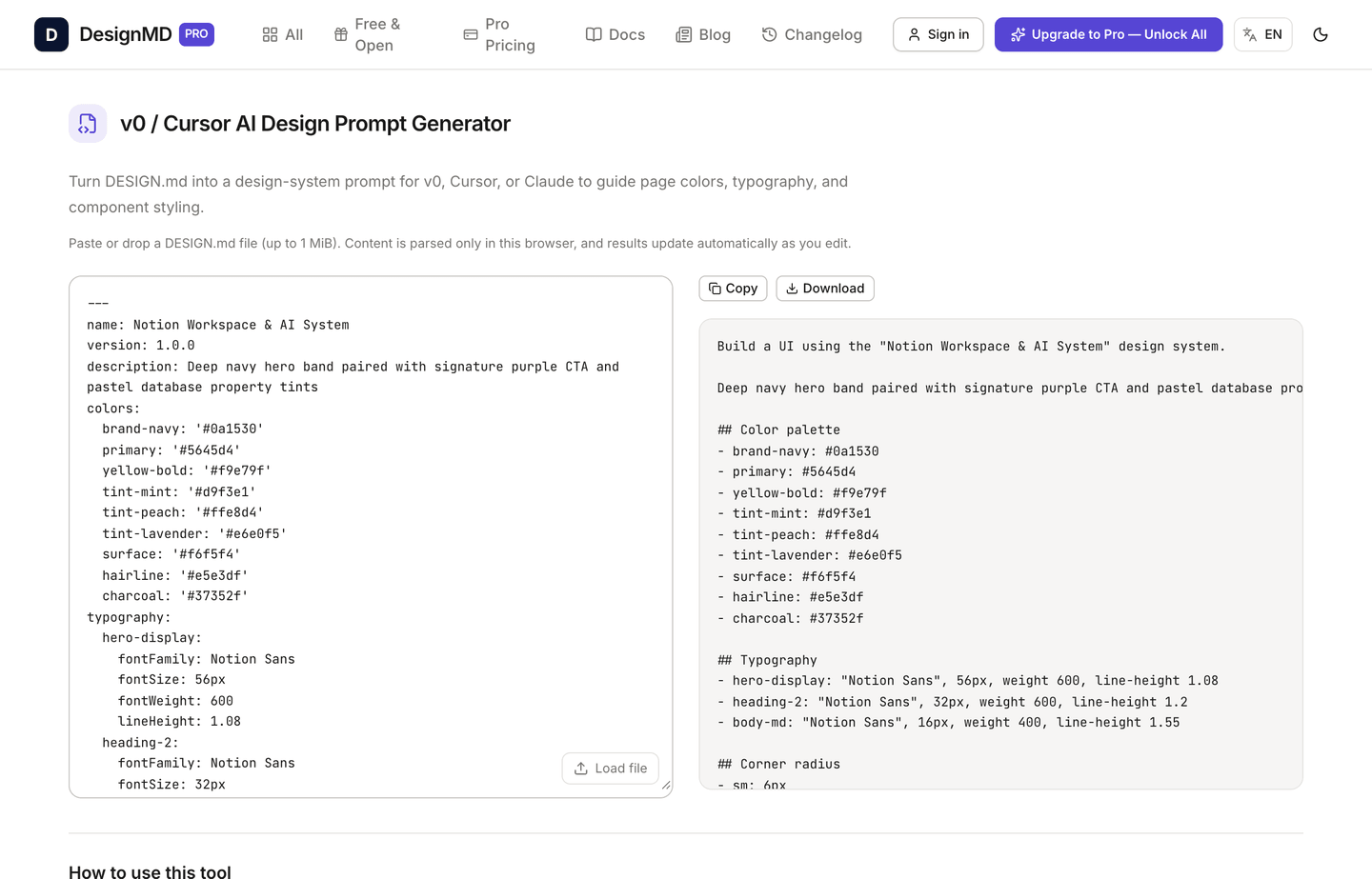
Step 1: Convert DESIGN.md with the v0 Prompt Generator
Pick any website in DesignMD Pro Discovery, or paste your own DESIGN.md into the v0 Prompt Generator (runs locally in your browser; public sites can also be prefilled with ?site=<slug>).
The generator extracts and formats:
- Light and dark color palettes (
colorsandcolors.dark.*) - Font families, sizes, weights, and line heights
- Corner radius (
rounded) and spacing scales - Component rules (
button-primary,card-surface, and states) - Strict token-reuse constraints
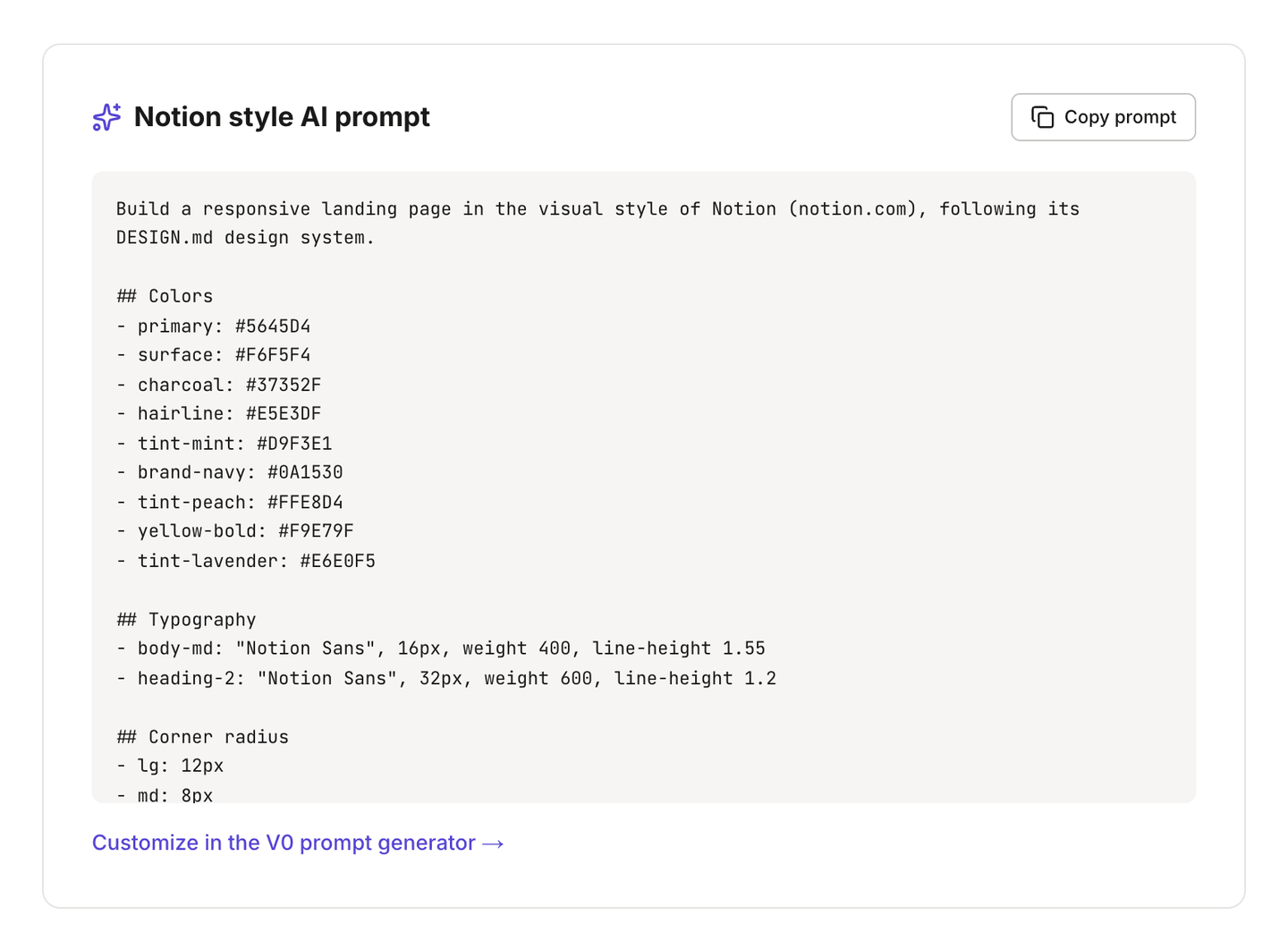
You can also scroll to the AI prompt card on any DesignMD Pro website detail page to copy a concise token summary immediately, or click Customize in the V0 prompt generator to edit it.
Step 2: Pair with shadcn/ui CSS variables
Because v0 scaffolds Tailwind CSS and shadcn/ui components by default, supplying exact CSS variables keeps the preview from approximating Tailwind defaults:
- Generate
:rootand.darktokens with the shadcn/ui Theme Generator or@themetokens with the Tailwind v4 Theme Generator. - Include the generated CSS block in your v0 prompt (or drop it directly into
app/globals.cssinside the v0 project files panel).
Step 3: Prompt templates for Vercel v0
Landing page
[Paste v0 Prompt Generator output here]

Build a developer SaaS landing page with:
1. Top navbar (brand mark, 4 links, primary Sign In button)
2. Split hero with headline, 2-sentence summary, primary CTA, and code snippet card
3. Three-column feature grid with 1px structural hairlines (no drop shadows)
4. Pricing comparison table and compact footer
Dashboard
[Paste v0 Prompt Generator output here]

Build an analytics dashboard with a collapsible left sidebar, top filter bar,
4 metric cards with tabular numbers, and a recent-events table. Use surface
and border tokens for separation and reserve the primary accent color strictly
for the active nav item and primary CTA.
Pricing table
[Paste v0 Prompt Generator output here]

Build a three-tier pricing page (Free, Pro, Team) with a monthly/annual toggle,
highlighted Pro tier border using the primary token, and a 5-question FAQ
accordion below.
Handing off v0 components to local agents via MCP
After exporting a v0 block into your Next.js repository (npx shadcn add ... or GitHub push), keep the same DESIGN.md at the repository root and connect your local coding agent (Claude Code, Cursor, Codex, Windsurf, or Kiro) to the hosted DesignMD Pro MCP server at https://designmdpro.app/mcp. See the DesignMD Pro MCP Server page for copy-paste setup snippets and rate limits.
Common pitfalls
- Multi-turn style drift: in long chat threads, v0 gradually reverts to generic Tailwind blues or rounded shadows. Re-anchor the chat by referencing your token block or attaching
DESIGN.mdwhen starting a new screen. - Unloaded custom fonts: if
typographyspecifies a commercial or Google font not bundled in the preview sandbox, declare a clean fallback stack or load it vianext/font/google. - Missing dark-mode parity: include
colors.dark.*tokens before exporting so v0/shadcn dark themes do not fall back to default slate grays.
Next steps
- MCP Server Setup — connect local agents to
https://designmdpro.app/mcp - Google Stitch and Bolt — dedicated browser UI builder guides
- Tailwind CSS & shadcn/ui Integration — exact token-to-CSS variable mapping
- Complete Example — full starter
DESIGN.mdwith light/dark tokens