Bolt
Bolt (bolt.new) runs a full-stack WebContainer workspace directly in the browser with a real file tree, terminal, and live preview. Unlike single-shot UI generators, Bolt lets you store DESIGN.md right inside the project alongside persistent instructions (via Project Settings → Knowledge or .bolt/prompt) and real CSS variables in src/index.css or app/globals.css.
Step 1: Get DESIGN.md and CSS variables from DesignMD Pro
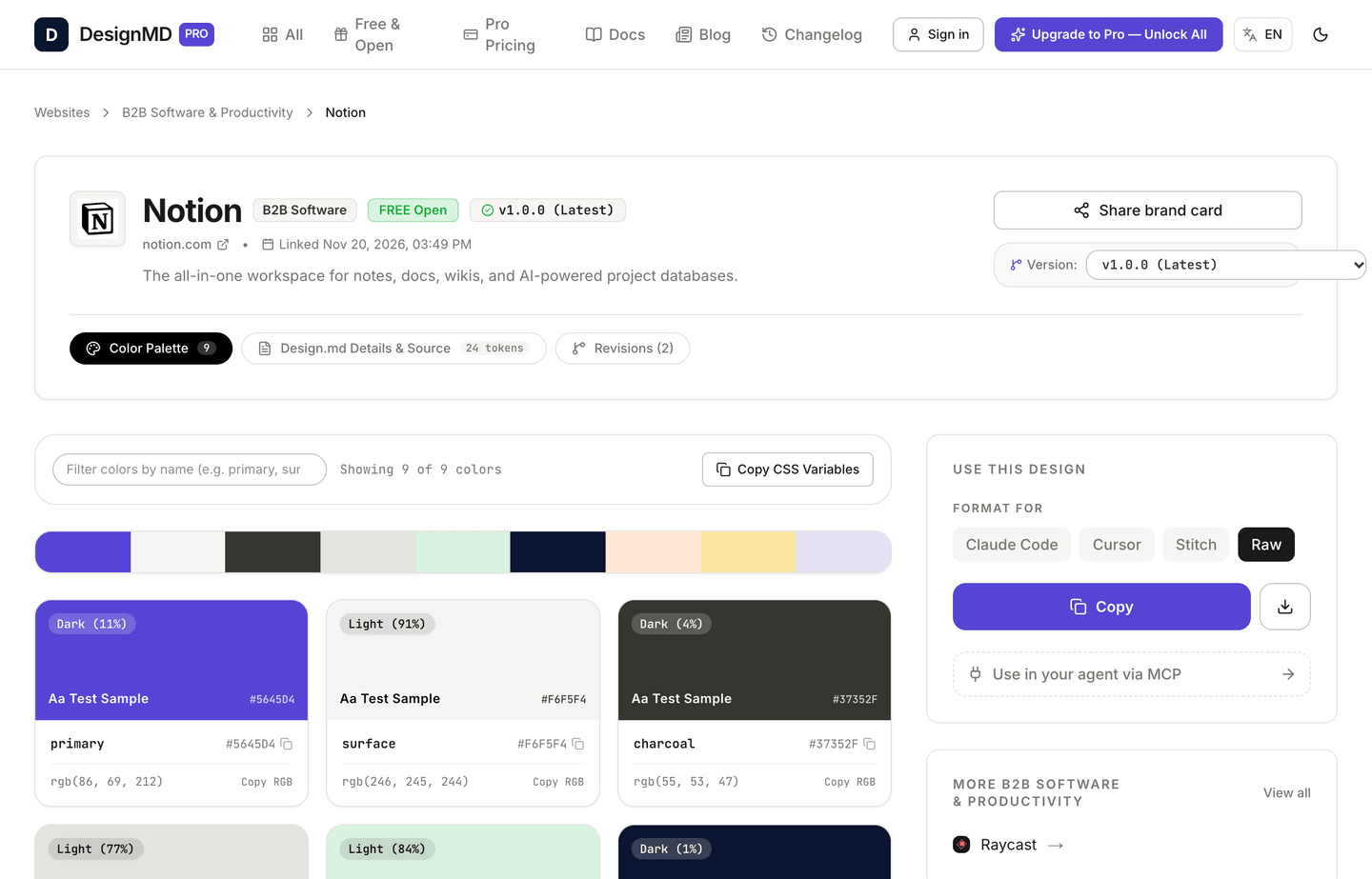
- Open DesignMD Pro Discovery and choose a reference design system.
- On the website detail page, switch the Use this design card to Raw and click Copy or Download to grab the clean
DESIGN.mdfile.
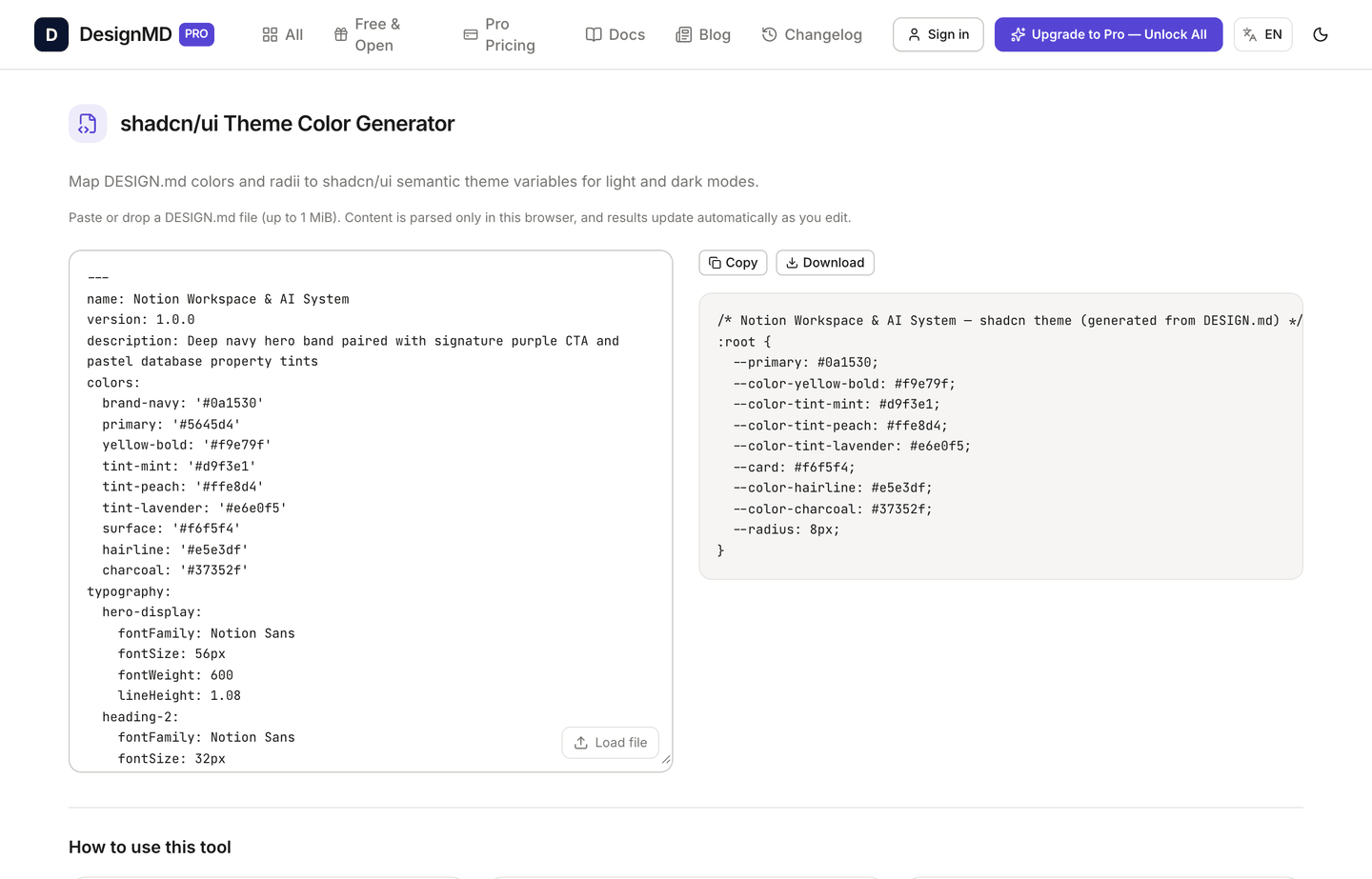
- Because Bolt scaffolds Vite + Tailwind CSS or Next.js + shadcn/ui apps by default, also export the matching CSS custom properties from the shadcn/ui Theme Generator (or Tailwind v4 Theme Generator). You can paste
DESIGN.mdor load any public site directly with?site=<slug>(for example,/shadcn-theme-generator?site=notion):
Step 2: Put DESIGN.md into your Bolt project
Add DESIGN.md and the generated theme variables to your Bolt workspace so every prompt turn reads from one source of truth:
my-bolt-app/
├── DESIGN.md
├── .bolt/
│   ├── prompt
│   └── ignore
└── src/
    ├── index.css      # Paste generated :root / .dark or @theme tokens here
    └── components/
Option A: Pin rules in Project Settings → Knowledge (fastest in the Bolt UI)
Open Project Settings → Knowledge inside Bolt and paste a concise directive pointing at the root file:
Before creating or editing UI components, pages, or stylesheets, read `DESIGN.md` at the project root.
Use only the colors, typography, spacing, border radii, and component patterns defined in `DESIGN.md` and `src/index.css`.
Do not substitute generic Tailwind blues, drop shadows, or unapproved hex colors.
Option B: Commit .bolt/prompt (portable across GitHub exports)
If you sync your Bolt workspace with GitHub or start from an existing repository, store the same instruction in .bolt/prompt so Bolt automatically loads it as persistent project context. You can pair it with .bolt/ignore (listing dist/, *.lock, or large fixture directories) to keep context tokens focused on DESIGN.md and src/.
Wire the stylesheet and fonts
- Open
src/index.css(Vite/React) orapp/globals.css(Next.js) in Bolt’s code tab and paste the:root/.darkblock from the shadcn/ui Theme Generator or@themeblock from the Tailwind v4 Theme Generator. - If
DESIGN.mdspecifies a Google Font (such asInter,Geist, orIBM Plex Mono), import it inindex.htmlorapp/layout.tsxso the preview sandbox renders the real typeface instead of falling back to system fonts.
Step 3: Write structured prompts in Bolt
Bolt works best when you start in Plan Mode to verify structure and then bundle one complete screen or workflow per prompt instead of making tiny styling corrections across many turns.
Initial scaffold prompt (Plan Mode → Build)
Read DESIGN.md in the project root and the CSS variables in src/index.css.
Plan and build a SaaS analytics workspace with:
1. Collapsible left navigation sidebar using the surface and hairline border tokens
2. Top bar with workspace switcher, date-range selector, and one primary CTA button
3. Four KPI cards with tabular numerals and 1px borders (no drop shadows)
4. Filterable events table with status badges mapped to the defined semantic colors

Keep every color mapped to CSS variables from DESIGN.md and follow its Do's and Don'ts.
Quick single-shot prompt (using the detail page AI prompt)
When bootstrapping a brand-new Bolt project before files exist, scroll to the AI prompt card on any DesignMD Pro website detail page (or customize it in the v0 Prompt Generator) and paste it above your feature requirements in your very first Bolt message:
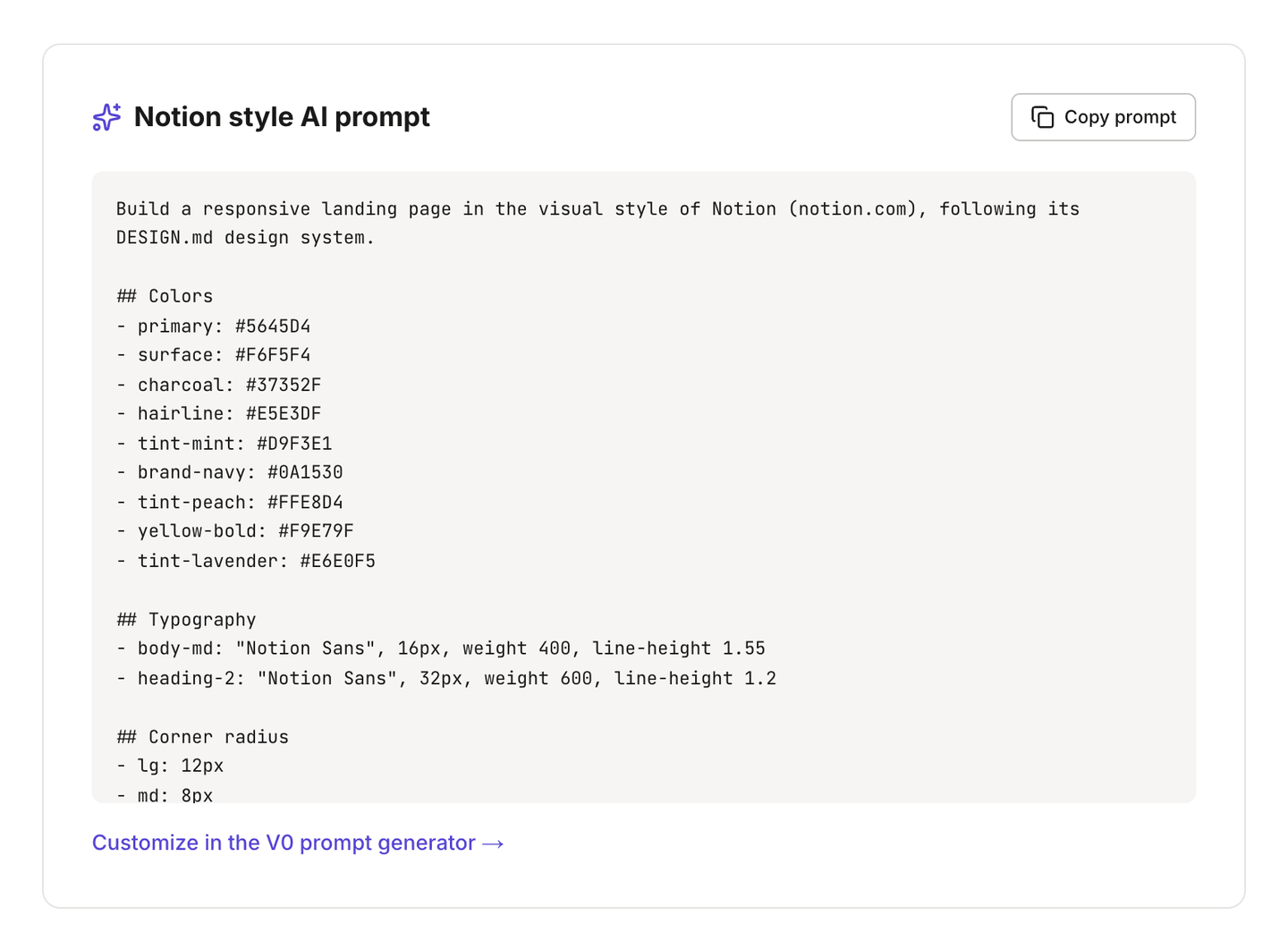
[Paste the AI prompt block from DesignMD Pro here]

First save the full design system rules into DESIGN.md at the project root and configure
the matching CSS variables in src/index.css. Then build a three-tier pricing page
(Free, Pro, Team) with a monthly/annual billing toggle and a 5-item FAQ accordion.
Connect DesignMD Pro via MCP
Bolt supports MCP connectors for pulling external context into chat, and teams frequently export Bolt projects to GitHub to continue iterating in local agents such as Claude Code, Cursor, or Kiro.
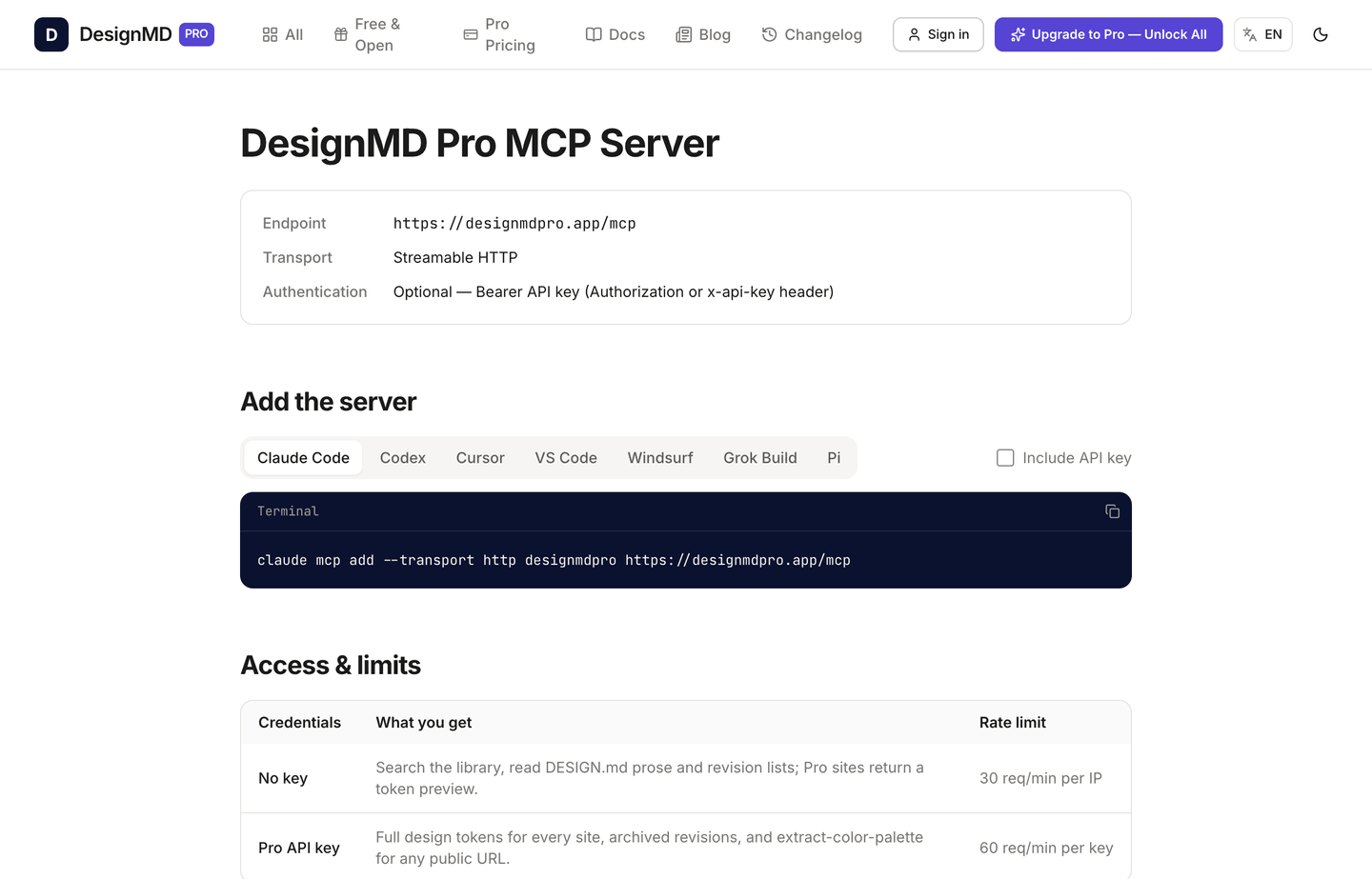
Use the hosted DesignMD Pro Streamable HTTP MCP endpoint (https://designmdpro.app/mcp) to search the library (search_websites), fetch individual sections (get_design_md), inspect revision history (list_revisions), or extract palettes (extract-color-palette, Pro). See the DesignMD Pro MCP Server page for endpoint details, Bearer API key setup, and client configurations.
Common pitfalls
- Relying on chat history instead of
DESIGN.md+ CSS variables: after several build/fix turns in Bolt, styling drifts back toward default Tailwind slate/indigo classes. KeepingDESIGN.mdin the file tree and locking exact hex values inside:root/@themeprevents drift. - Pasting the entire
DESIGN.mdinto every follow-up prompt: repeating hundreds of lines burns Bolt tokens quickly. StoreDESIGN.mdonce in the project root, reference it from Project Knowledge or.bolt/prompt, and send focused feature prompts. - Forgetting to load custom fonts in the WebContainer: declaring
font-familyinDESIGN.mdwithout loading the font file or Google Fonts stylesheet makes Bolt fall back to system sans-serif.
Next steps
- MCP Server Setup — hosted endpoint, API keys, and rate limits
- Tailwind CSS & shadcn/ui Integration — exact token-to-CSS variable mapping
- Vercel v0 and Google Stitch — complementary browser UI builders
- Writing for AI Agents — write tight constraints that hold across multi-turn edits