How to Extract Typography from a Website
Looking at a site’s font-family declaration is only half the story. A production typography system is defined by five coupled decisions: which font file actually renders, the size hierarchy from display headings down to captions, weight pairing, line-height rhythm, and letter-spacing adjustments at large and small sizes.
This guide walks through inspecting a live website’s real typography, verifying a curated type scale on DesignMD Pro, and compiling your extracted rules into a ready-to-use Tailwind CSS v4 @theme block.
Method 1: Inspect rendered fonts and type scale in Chrome DevTools
A CSS font-family stack like "Inter Variable", -apple-system, BlinkMacSystemFont, sans-serif does not prove "Inter Variable" actually loaded. Check three places in DevTools to get ground truth:
1. Check Rendered Fonts in the Computed panel
- Right-click a heading or body paragraph and select Inspect.
- Open the Computed tab and scroll to the bottom section labeled Rendered Fonts.
- DevTools reports the exact font face used to draw the glyphs along with whether it came from a Network resource (webfont) or Local file (system font).
2. Inspect loaded .woff2 files and weights
- Switch to the Network panel and click the Font filter.
- Reload the page (
Cmd+R/Ctrl+R). - Check the loaded
.woff2files to see whether the site uses a single variable font (for exampleInterVariable.woff2covering weights100–900) or discrete static weights (400,500,600,700).
3. Extract the complete type scale with one Console snippet
Run this snippet in the DevTools Console to sample headings, body copy, buttons, and code blocks across the page and print a deduplicated typography table:
const selectors = ["h1", "h2", "h3", "h4", "p", "a", "button", "code", "pre"];
const seen = new Set();
const rows = [];

for (const sel of selectors) {
  for (const el of document.querySelectorAll(sel)) {
    const rect = el.getBoundingClientRect();
    if (rect.width === 0 || rect.height === 0) continue;
    const s = getComputedStyle(el);
    const key = [
      sel,
      s.fontFamily,
      s.fontSize,
      s.fontWeight,
      s.lineHeight,
    ].join("|");
    if (seen.has(key)) continue;
    seen.add(key);
    rows.push({
      tag: sel,
      family: s.fontFamily.split(",")[0].replace(/['"]/g, "").trim(),
      size: s.fontSize,
      weight: s.fontWeight,
      lineHeight: s.lineHeight,
      tracking: s.letterSpacing,
    });
  }
}

console.table(rows.slice(0, 25));
Pay close attention to three details in the table:
- Display tracking: Hero
h1headings at36px–64pxalmost always tightenletter-spacing(for example-0.02emto-0.04em), while uppercase eyebrow labels widen it (0.06emto0.1em). - Line-height ratios: Divide computed
lineHeightbyfontSize. Headings typically sit around1.05–1.25; body prose sits between1.5and1.7. - Monospace pairing: Look at
codeandprerows—developer tools almost always pair a neutral sans with a distinct monospace face (Geist Mono,JetBrains Mono,IBM Plex Mono).
Method 2: Read verified type scales on DesignMD Pro Discovery
If the site you are studying is already cataloged on DesignMD Pro Discovery, you can skip manual DevTools scraping and read its normalized typography tokens directly.
- Open a website page such as Linear.
- Click the Design.md Details & Source tab next to Color Palette.
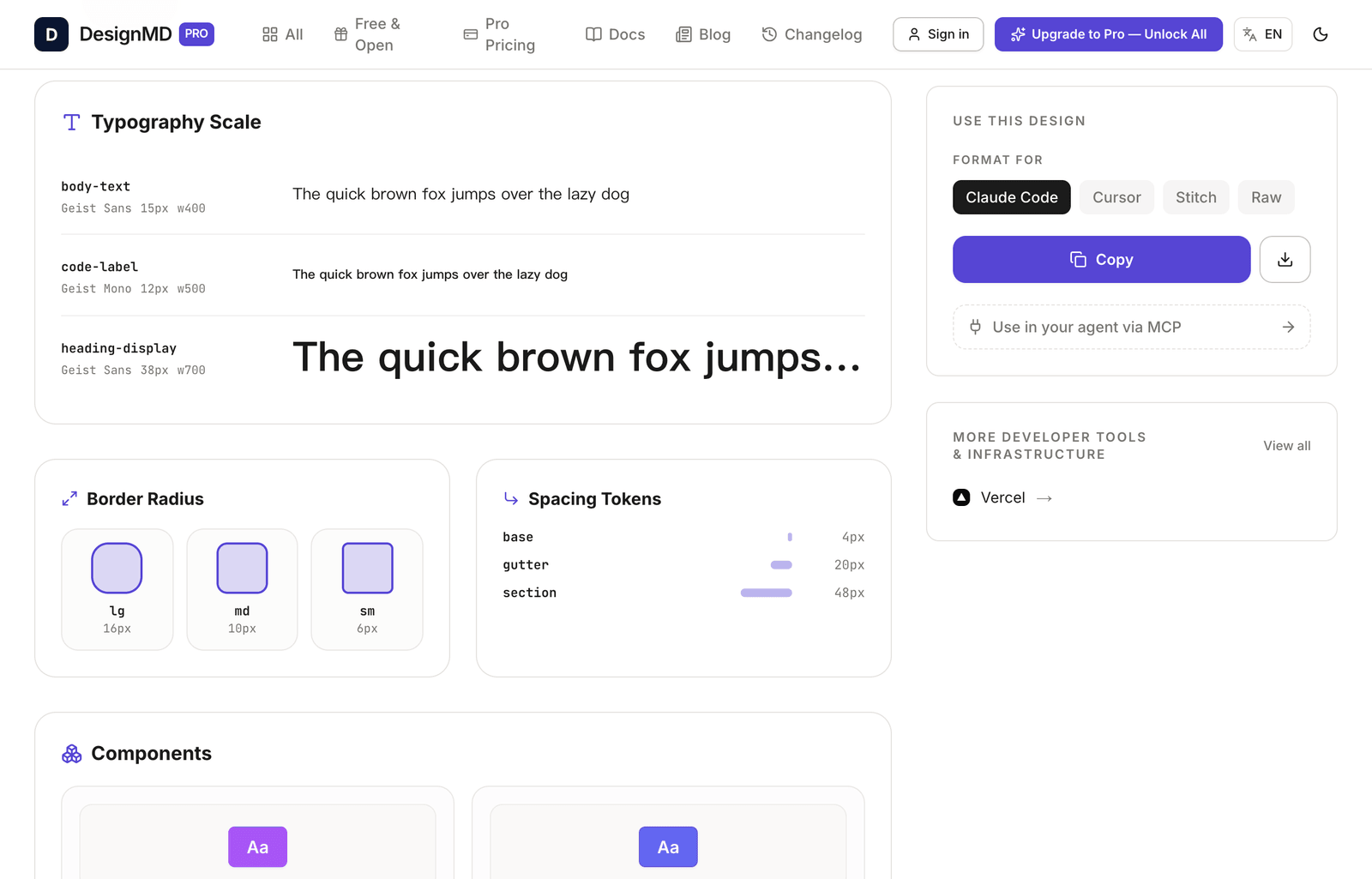
- Scroll to the Typography Scale card to inspect each named role (
heading-display,body-text,code-label), its exact font family, size, weight, and live specimen alongside the site’s border radii and spacing tokens.
Respect font licensing. Many consumer and SaaS brands use commercial typefaces (such as Söhne, GT America, or Tiempos). Never copy or hotlink a site’s licensed .woff2 files—substitute an open-source equivalent with similar metrics (for example Inter, Geist, Plus Jakarta Sans, IBM Plex Sans, or Source Serif 4) and keep the extracted size, weight, and line-height scale.
Method 3: Record tokens in DESIGN.md and generate Tailwind CSS v4 @theme
Once you have a clean 4–6 step type scale, encode it under the typography: block in your DESIGN.md frontmatter (see Design Tokens for the full schema):
---
name: Starter Design System
version: 1.0.0
description: A starter palette and type scale for a product interface.
colors:
  primary: "#5645d4"
  background: "#ffffff"
  text: "#111827"
  border: "#e5e3df"
typography:
  heading:
    fontFamily: Geist Sans
    fontSize: 38px
    fontWeight: 700
    lineHeight: 1.15
    letterSpacing: -0.02em
  body:
    fontFamily: Geist Sans
    fontSize: 15px
    fontWeight: 400
    lineHeight: 1.6
  code:
    fontFamily: Geist Mono
    fontSize: 12px
    fontWeight: 500
    lineHeight: 1.4
rounded:
  md: 8px
spacing:
  md: 16px
---
Next, turn those tokens straight into stylesheet variables using the Tailwind CSS v4 Theme Generator:
- Open /tailwind-theme-generator and paste your
DESIGN.md(or click Load a DESIGN.md example to test with a starter spec). - The generator runs locally in your browser and emits a Tailwind v4
@themeblock mapping your extracted font families to--font-sans(and--font-sans-2, …), each scale entry to--text-<name>and--text-<name>--line-height, plus colors, radii, and spacing. - Click Copy or Download (
theme.css) and paste the@themeblock into your project’sglobals.css.
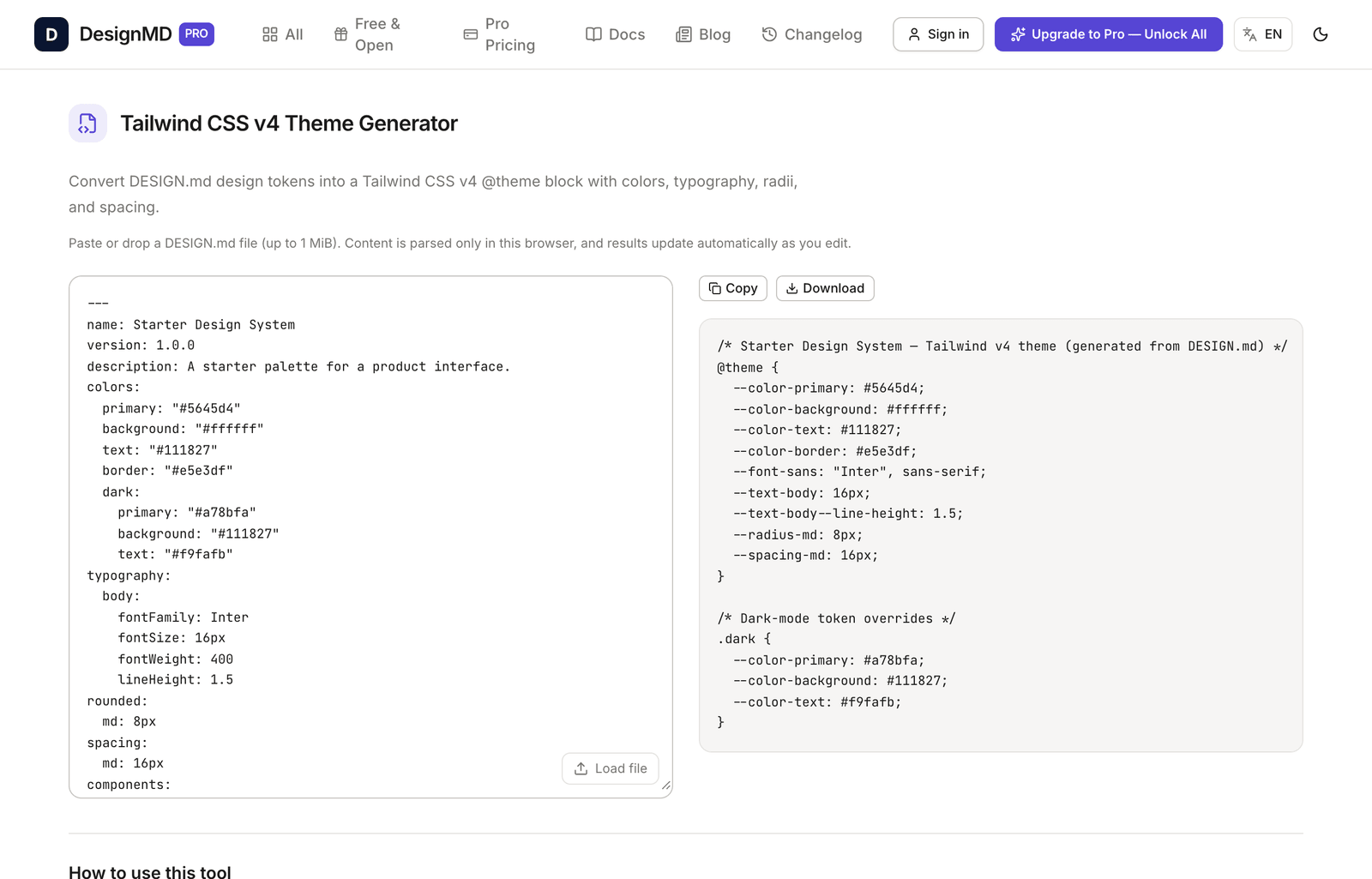
Once @theme is in globals.css, Tailwind v4 automatically exposes matching utility classes such as font-sans, text-heading, text-body, and text-code with their paired line-heights—keeping both human edits and AI-generated components locked to your extracted type scale.
Try the tool
Convert your extracted typography scale and colors into a Tailwind CSS v4 @theme stylesheet in one click:
- Open the Tailwind CSS v4 Theme Generator — paste your
DESIGN.mdto generate--font-*,--text-*, and--color-*variables forglobals.css. - Plain CSS Variables Generator — export framework-agnostic
--font-*size, weight, and line-height custom properties if you are not using Tailwind. - Next: Design Tokens vs CSS Variables — understand how source tokens and runtime CSS variables divide responsibilities.