Bolt
Bolt(bolt.new)는 브라우저에서 실제 파일 트리, 터미널, 라이브 프리뷰를 갖춘 풀스택 WebContainer 워크스페이스를 직접 실행합니다. 일회성 UI 생성기와 달리, Bolt에서는 DESIGN.md를 프로젝트 루트에 직접 저장하고 영구 지침(Project Settings → Knowledge 또는 .bolt/prompt) 및 src/index.css나 app/globals.css의 실제 CSS 변수와 함께 관리할 수 있습니다.
1단계: DesignMD Pro에서 DESIGN.md와 CSS 변수 가져오기
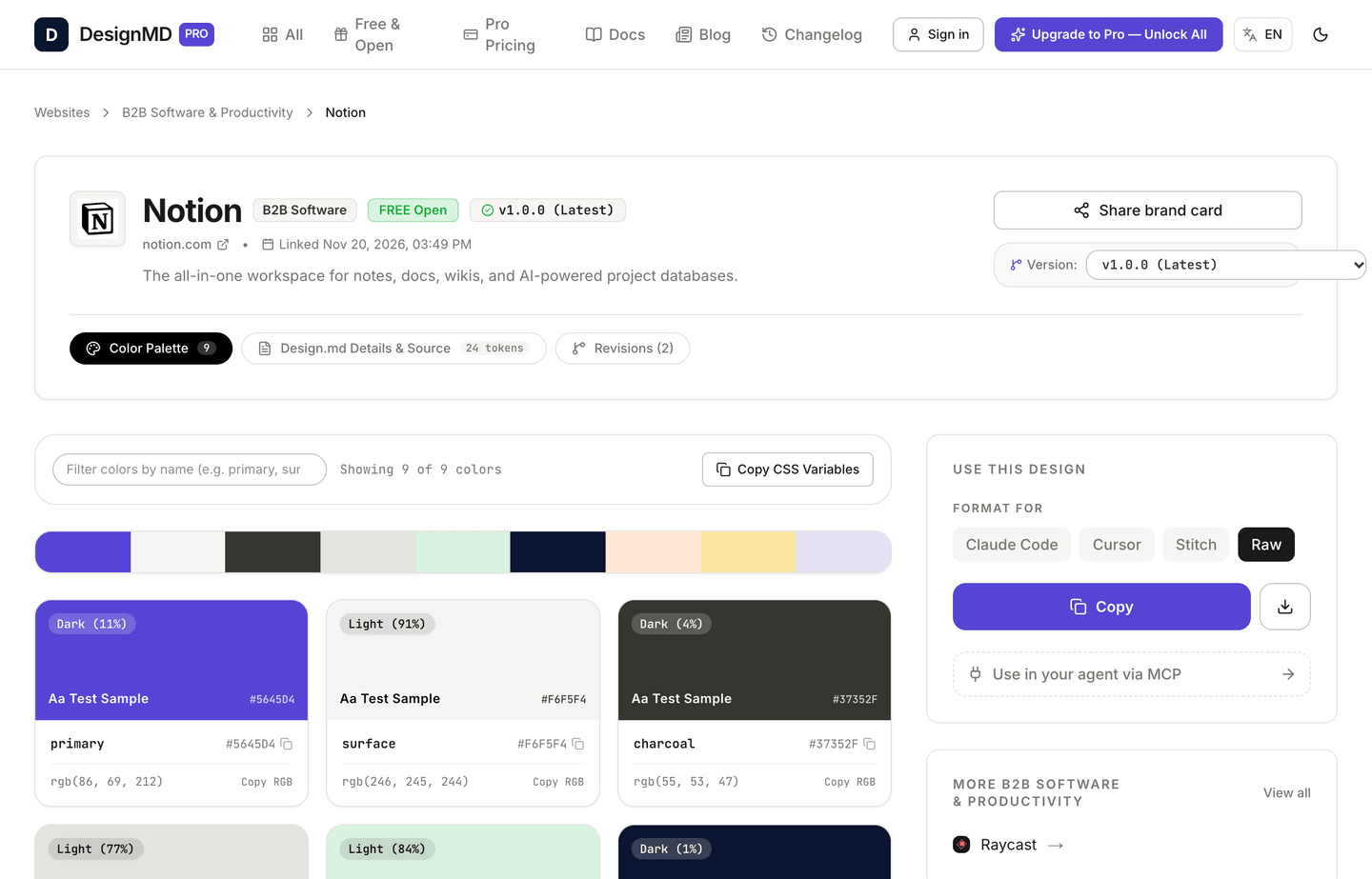
- DesignMD Pro 탐색을 열고 참고할 디자인 시스템을 선택합니다.
- 웹사이트 상세 페이지에서 Use this design 카드를 Raw로 전환한 뒤 Copy 또는 Download를 클릭해 깔끔한
DESIGN.md파일을 가져옵니다.
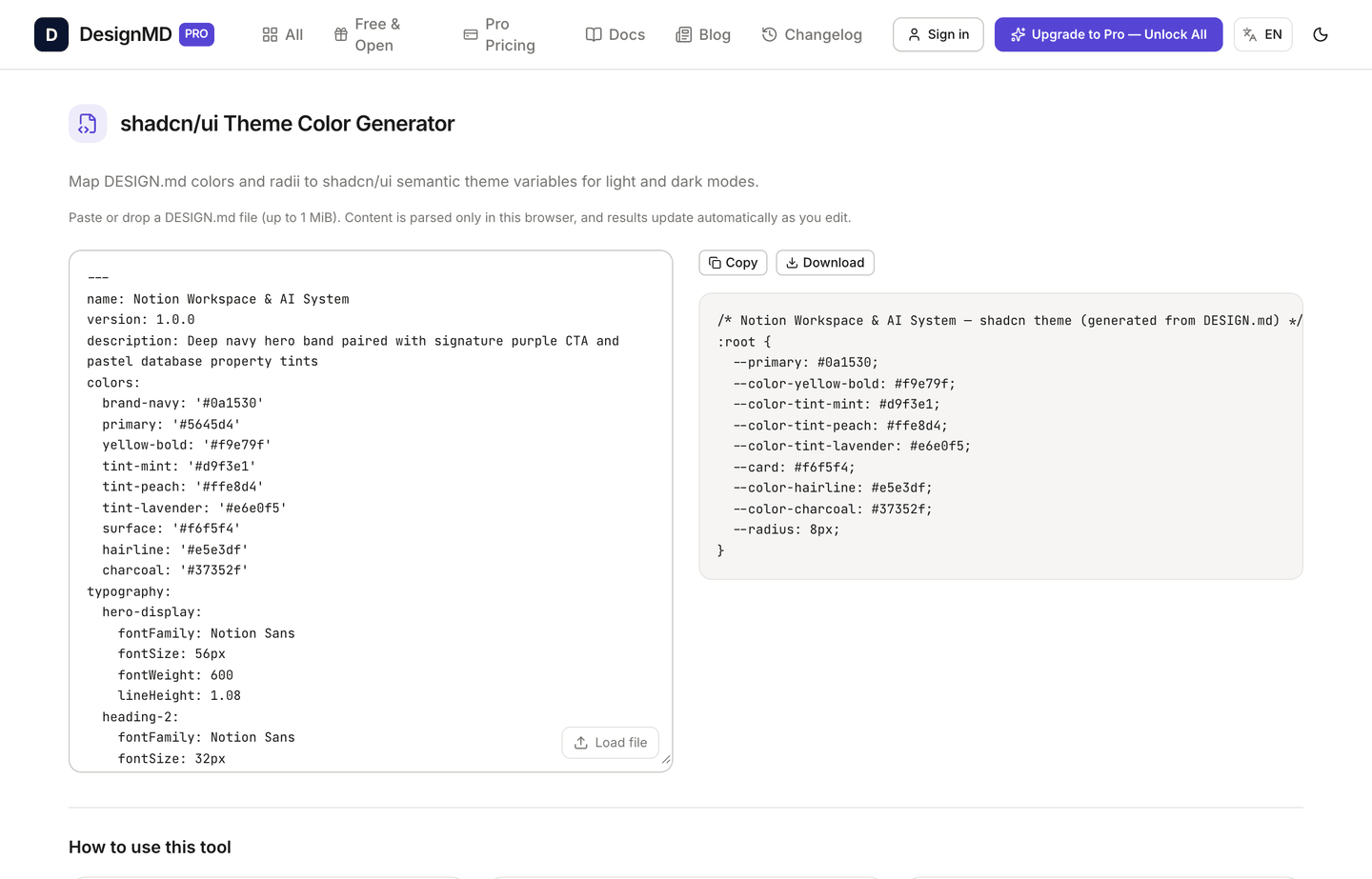
- Bolt는 기본적으로 Vite + Tailwind CSS 또는 Next.js + shadcn/ui 앱을 스캐폴딩하므로, shadcn/ui Theme Generator(또는 Tailwind v4 Theme Generator)에서 일치하는 CSS custom properties도 함께 내보냅니다.
DESIGN.md를 직접 붙여 넣거나?site=<slug>쿼리로 공개 사이트를 바로 불러올 수 있습니다(예:/ko/shadcn-theme-generator?site=notion):
2단계: Bolt 프로젝트에 DESIGN.md 배치하기
매 프롬프트 턴마다 단일 진실 공급원(source of truth)을 읽도록 Bolt 워크스페이스에 DESIGN.md와 생성된 테마 변수를 추가합니다:
my-bolt-app/
├── DESIGN.md
├── .bolt/
│   ├── prompt
│   └── ignore
└── src/
    ├── index.css      # Paste generated :root / .dark or @theme tokens here
    └── components/
옵션 A: Project Settings → Knowledge에 규칙 고정하기 (Bolt UI에서 가장 빠른 방법)
Bolt 내부에서 Project Settings → Knowledge를 열고 루트 파일을 가리키는 간결한 지침을 붙여 넣습니다:
Before creating or editing UI components, pages, or stylesheets, read `DESIGN.md` at the project root.
Use only the colors, typography, spacing, border radii, and component patterns defined in `DESIGN.md` and `src/index.css`.
Do not substitute generic Tailwind blues, drop shadows, or unapproved hex colors.
옵션 B: .bolt/prompt 커밋하기 (GitHub 내보내기 간 이식 가능)
Bolt 워크스페이스를 GitHub와 동기화하거나 기존 저장소에서 시작하는 경우, 동일한 지침을 .bolt/prompt에 저장하면 Bolt가 이를 영구 프로젝트 컨텍스트로 자동 로드합니다. .bolt/ignore(예: dist/, *.lock 또는 큰 fixture 디렉터리 나열)와 함께 사용하면 컨텍스트 토큰을 DESIGN.md와 src/에 집중할 수 있습니다.
스타일시트와 폰트 연결하기
- Bolt의 코드 탭에서
src/index.css(Vite/React) 또는app/globals.css(Next.js)를 열고, shadcn/ui Theme Generator의:root/.dark블록이나 Tailwind v4 Theme Generator의@theme블록을 붙여 넣습니다. DESIGN.md가 Google Font(예:Inter,Geist,IBM Plex Mono)를 지정하는 경우index.html또는app/layout.tsx에 임포트해 프리뷰 샌드박스가 시스템 폰트로 폴백하지 않고 실제 서체를 렌더링하도록 합니다.
3단계: Bolt에서 구조화된 프롬프트 작성하기
Bolt는 Plan Mode에서 먼저 구조를 검증한 뒤, 여러 턴에 걸쳐 자잘한 스타일 수정을 반복하는 대신 하나의 완전한 화면이나 워크플로를 한 프롬프트에 묶어 요청할 때 가장 잘 동작합니다.
초기 스캐폴드 프롬프트 (Plan Mode → Build)
Read DESIGN.md in the project root and the CSS variables in src/index.css.
Plan and build a SaaS analytics workspace with:
1. Collapsible left navigation sidebar using the surface and hairline border tokens
2. Top bar with workspace switcher, date-range selector, and one primary CTA button
3. Four KPI cards with tabular numerals and 1px borders (no drop shadows)
4. Filterable events table with status badges mapped to the defined semantic colors

Keep every color mapped to CSS variables from DESIGN.md and follow its Do's and Don'ts.
빠른 단발성 프롬프트 (상세 페이지 AI prompt 사용)
아직 파일이 없는 새 Bolt 프로젝트를 부트스트랩할 때는 DesignMD Pro 웹사이트 상세 페이지의 AI prompt 카드로 스크롤하거나(v0 Prompt Generator에서 커스터마이즈 가능), 첫 번째 Bolt 메시지에서 기능 요구사항 위에 해당 프롬프트를 붙여 넣습니다:
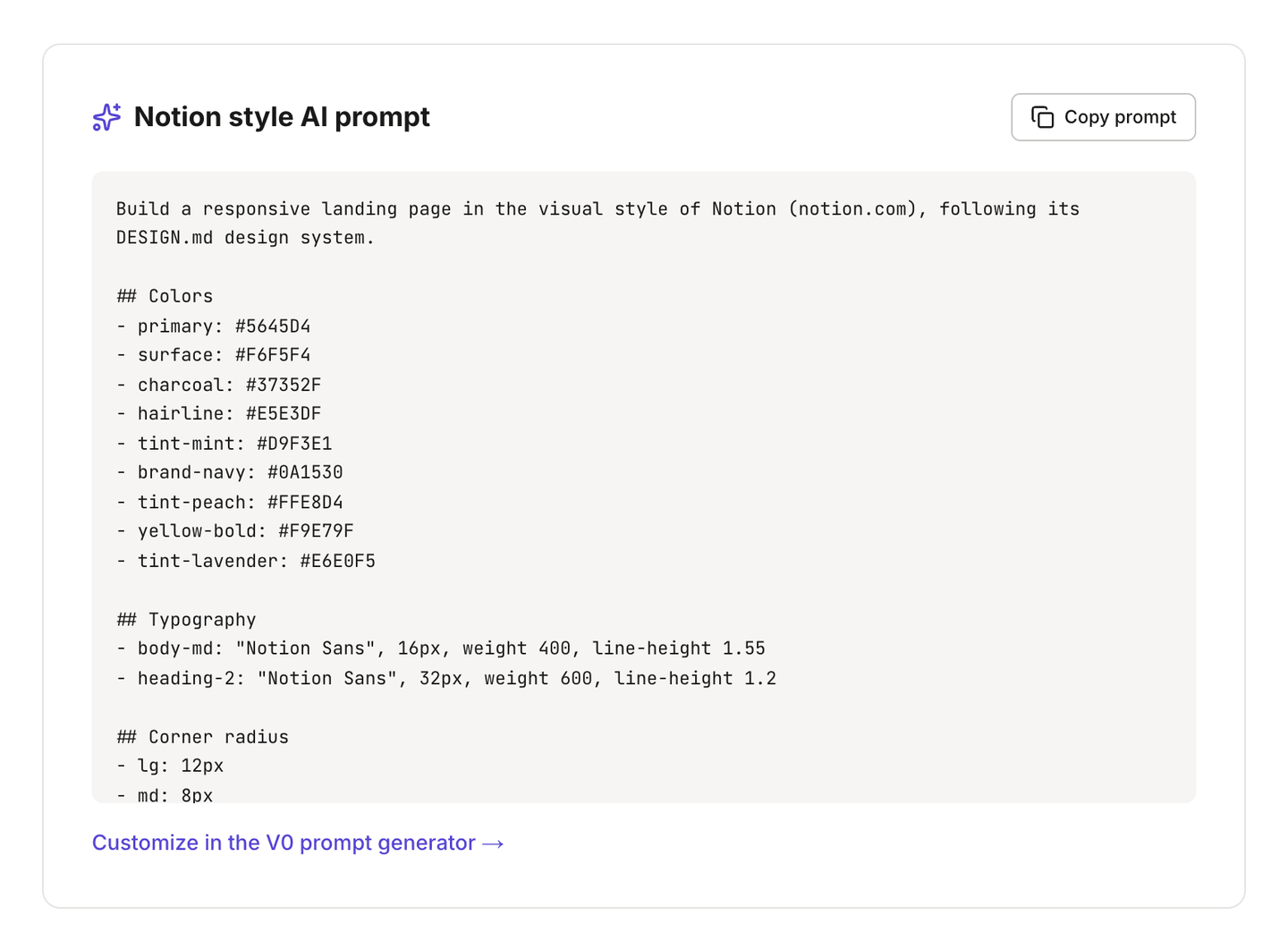
[Paste the AI prompt block from DesignMD Pro here]

First save the full design system rules into DESIGN.md at the project root and configure
the matching CSS variables in src/index.css. Then build a three-tier pricing page
(Free, Pro, Team) with a monthly/annual billing toggle and a 5-item FAQ accordion.
MCP로 DesignMD Pro 연결하기
Bolt는 채팅으로 외부 컨텍스트를 가져오는 MCP connectors를 지원하며, 팀에서는 Bolt 프로젝트를 GitHub로 내보내 Claude Code, Cursor, Kiro 같은 로컬 에이전트에서 계속 반복 개발하는 경우가 많습니다.
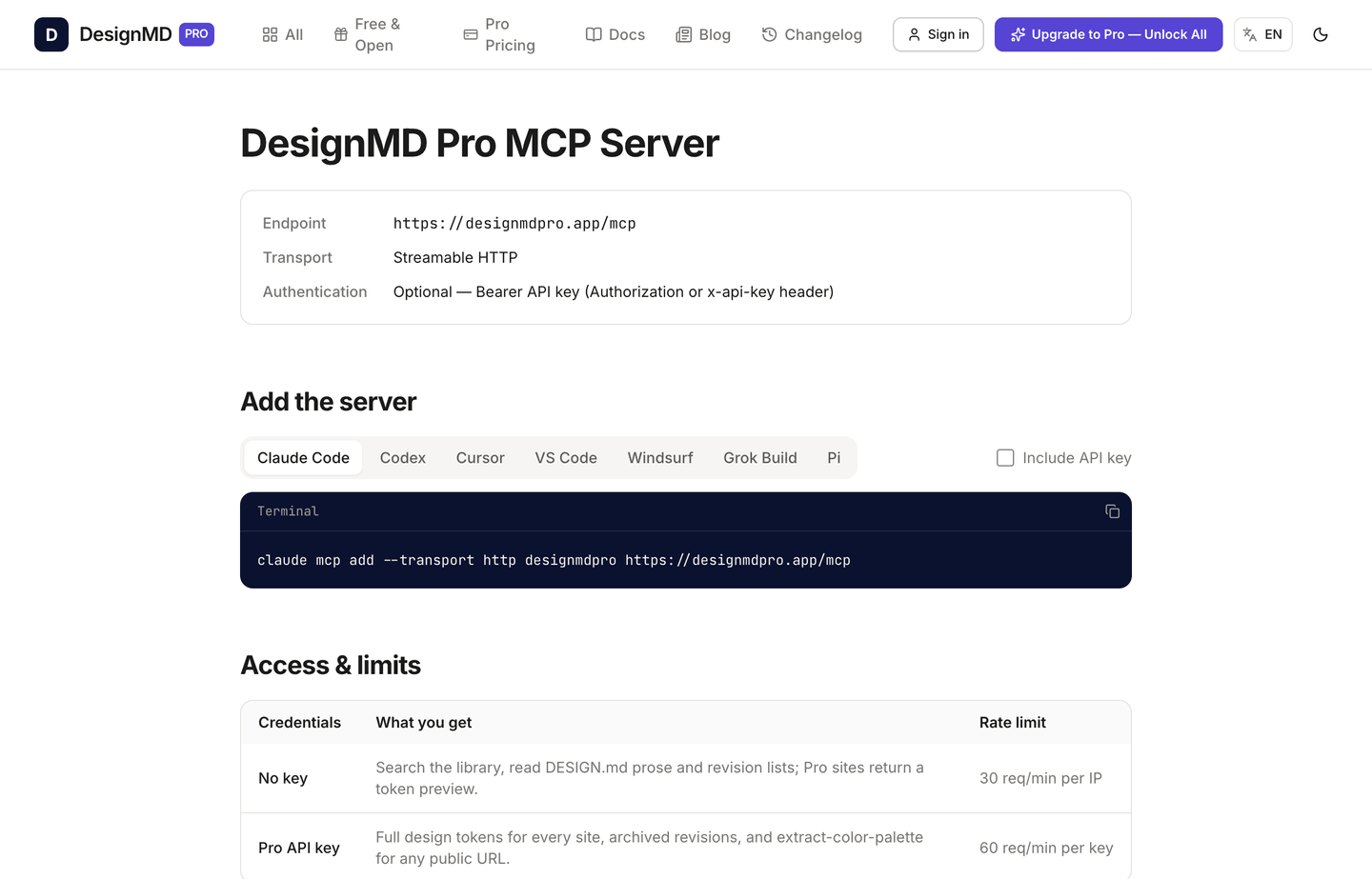
호스팅된 DesignMD Pro Streamable HTTP MCP endpoint(https://designmdpro.app/mcp)를 사용해 라이브러리를 검색(search_websites)하고, 개별 섹션을 가져오며(get_design_md), 리비전 이력을 확인(list_revisions)하거나, 팔레트를 추출(extract-color-palette, Pro)할 수 있습니다. 엔드포인트 세부 정보, Bearer API 키 설정, 클라이언트 구성은 DesignMD Pro MCP Server 페이지를 참고하세요.
흔히 겪는 문제
DESIGN.md+ CSS 변수 대신 채팅 기록에만 의존하는 경우: Bolt에서 빌드/수정 턴이 여러 번 이어지면 스타일이 기본 Tailwind slate/indigo 클래스로 서서히 회귀합니다. 파일 트리에DESIGN.md를 유지하고:root/@theme안에 정확한 hex 값을 고정하면 스타일 이탈을 방지할 수 있습니다.- 후속 프롬프트마다
DESIGN.md전체를 붙여 넣는 경우: 수백 줄을 반복하면 Bolt 토큰을 빠르게 소모합니다. 프로젝트 루트에DESIGN.md를 한 번 저장하고 Project Knowledge 또는.bolt/prompt에서 참조한 뒤, 기능 중심의 집중된 프롬프트를 보내세요. - WebContainer에서 커스텀 폰트 로드를 누락한 경우: 폰트 파일이나 Google Fonts 스타일시트를 로드하지 않은 채
DESIGN.md에font-family만 선언하면 Bolt가 시스템 sans-serif로 폴백합니다.
다음 단계
- MCP Server 설정 — 호스팅 엔드포인트, API 키, 속도 제한
- Tailwind CSS & shadcn/ui 통합 — 정확한 토큰-CSS 변수 매핑
- Vercel v0 및 Google Stitch — 상호 보완적인 브라우저 UI 빌더
- AI 에이전트를 위한 작성법 — 다중 턴 편집에서도 유지되는 엄격한 제약 조건 작성